 If you’re importing a Word index into InDesign, chances are good that the index will import just fine. But what if you get the dreaded “index entries contain invalid characters” error? This happened to one of our readers recently. It’s a tricky issue to resolve since InDesign doesn’t specify which characters are invalid. With a Word index containing hundreds (or thousands!) of entries, how can you find the specific characters causing the issue? [Read more…]
Your book needs CIP data—here’s why
 I used to think that a copyright page didn’t really need cataloging-in-publication (CIP) data in order to be complete. But I was wrong.
But wait—what is CIP data? It’s the block of information on a book’s copyright page that resembles a library catalog entry, like the one shown here. If the Library of Congress created it, it’s called CIP data. If a private cataloging service created it, it’s called PCIP (Publisher’s CIP) data. Since they look basically the same on the page, I’ll simply refer to both as CIP data for our purposes. [Read more…]
Text variables in InDesign: why and how
 What the heck is a text variable, anyway? It’s copy that you can add anywhere in your document—but it varies depending on the context. For instance, you could set up your document to automatically insert the current date in a header. Or if you need to send readers to the last page, a text variable will automatically update the page number reference if you add or delete pages later.
Now think how useful text variables could be as navigational tools (i.e., running heads) in a nonfiction book. They can make the current chapter number and chapter title appear—presto!—on verso pages and the most recent internal heading appear on recto pages. And that’s exactly what I’m going to demonstrate in this article. Adobe’s official user guide instructions on the topic of text variables are a bit sketchy, so I’ve developed a detailed lesson for you. [Read more…]
InDesign Book feature: the good, the bad, and the ugly
 The InDesign Book feature provides a great way to combine smaller InDesign files into one larger Book file. It’s easy to use, and you’ll find our step-by-step guide to using the Book feature here. But, after using the InDesign Book feature for Book Design Made Simple and numerous other book projects, we’ve discovered that it’s not perfect—so forewarned is forearmed! [Read more…]
Using a layout grid in book design
 Do you use a layout grid? A few months ago, I saw a survey on Twitter for designers. The one multiple choice question went something like this:
- I always use a layout grid.
- I sometimes use a layout grid.
- What’s a layout grid?
I had to laugh, but then I began thinking that some of our readers could benefit from learning about this topic. [Read more…]
Your book promotion materials
 A book is a wonderful thing! But of course it’s not much good unless people read it, and to make that happen, sometimes you need to go beyond social media and word of mouth. Printed book promotion materials can help you do that, so in this article we hope to help you find just the right combination of giveaways for your book.
One of the advantages of doing your own book design and typesetting is that you can also produce your own book promotion materials. To reduce the learning curve for you, InDesign Secrets offers free Adobe InDesign templates for all kinds of publications.
Our book sales: Three years in
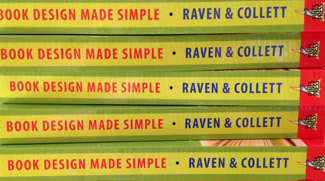 Three years ago this month, the first edition of Book Design Made Simple rolled off the press. We expected book sales to start strong and increase immediately, but that didn’t happen. In this article we share with you our successes and failures, how plans can go awry, and about winging it. We hope you can skip some of the book marketing mistakes we made and go straight to success with your book as a self-published author. [Read more…]
Book arts: handmade books
 The term book arts encompasses an endless variety of books, usually handmade or produced in a limited edition. Included are all kinds of artists’ books, ezines, graphic novels, printed ephemera, and “other experimental forms of publication.” (Doesn’t that sound interesting?)
Search for “art book fair” and you’ll find that book arts are alive and well around the world. Here in Vancouver, Canada, our Vancouver Art Book Fair is held at Emily Carr University of Art + Design. This prompted me to share with you some of the books I’ve created as a book artist rather than as a book designer.
Your author website 101

Need an author website? Websites (including blogs) may be the most prevalent marketing medium these days, but the process of setting one up is still a complete mystery to most. When I teach self-publishing workshops and mention the necessity of having an author website, panic always ensues.
In this blog post, Fiona and I will explain what you need to know about author websites, how to set yours up, what costs to expect, and how to maintain it. After explaining all your options, we’ll also tell you exactly how we set up this website. Click here if you want to skip directly to that section. [Read more…]
Working with a book illustrator
 Will you work with a book illustrator for your book cover and/or pages? If so, you probably have lots of questions! Where can you find a suitable book illustrator? How much should you expect one or more illustrations to cost? Will you own the copyright of the illustrations used in your book? What size, resolution, and format should the digital files be?
Here are answers to all those questions and more. [Read more…]
- « Previous Page
- 1
- …
- 3
- 4
- 5
- 6
- 7
- …
- 9
- Next Page »

