 Below you'll find links to all the information about book page design that’s available on our website,
In my previous blog post, I mentioned mixing two colors to use for 2-color printing. So now I’m back to explain how to do that in InDesign, plus how to make a 2-color photo (duotone) in Photoshop. And I’ll let you in on the simple way to make a fake duotone right in InDesign, too.
So let’s start with what we can do in InDesign. [Read more…]
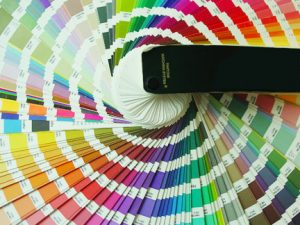 Do you have a favorite color?
 In Book Design Made Simple, we mention cookbooks a few times but never sit you down and explain in detail how to go about designing one. Once you’ve had some experience with designing and laying out other books, you’ll see at once that you’ll need to apply some extra effort to make a good-looking, readable cookbook.
  How can you determine whether an image file is high enough resolution to use in your book? That’s a question I get asked all the time! Images should be at least 300 ppi (pixels per inch) at the size they’ll be printed at— and that’s where most people need help. How do you figure out the size of an image, and whether or not it’s suitable for printing?
  Have you ever tried to add an image on your screen to your printed materials? And noticed that it looked terrible in print—all blurry and pixelated? We had the same problem! Our book has a lot of screen shots in it. We mean a LOT. We use them mostly to show you InDesign dialog boxes—each view of the screen saves many words.
