 Want to design a workbook? Who uses those any more?
Lots of folks, actually. Even though there are apps for practically everything these days, children still enjoy workbooks for mazes or drawing or learning practically anything. Adults can use them for recording their latest bird find or geocaching location, or for word or number puzzles, for instance. A coloring book can be considered a workbook, too.
We’ll help you design a workbook that will work well for your audience.
 Combining serif and sans serif fonts successfully can be a challenge, but it’s much easier once you know a few simple rules. It’s worth learning, as combining two fonts can really make your book design look professional. So don’t be daunted by the thousands of fonts available! The font-combining basics explained here will help to get you going quickly and easily.
  Why, you might ask, is the coauthor of a book about InDesign reviewing a direct competitor, Affinity Publisher?
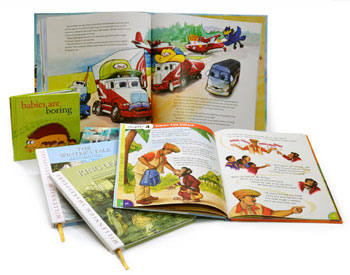 Children’s picture books are fun to design! They’re colorful, full of images, and everything is packed into a small number of words and pages.
 You can save a lot of time using InDesign keyboard shortcuts. Many users find that they work faster on their keyboard than with their mouse or trackpad. Does that sound like you? Read on to learn how to use this very handy function for applying styles in InDesign.
  The path to a high quality self-published book is strewn with expenses. Annoying, maybe, but necessary. So, how much does it cost to self-publish? We’ve discussed most of the cost issues in the past, but here I’m pulling them all together so you won’t stumble on any surprises as you make your way.
 Coffee table books. Are they a blast from the past? No, actually, folks are still publishing them, and you can, too. Do you have an idea for a coffee table book of poetry and photography? About a specific artist or a place you love? About your local history, or something completely different? With good planning and design, your book could become very successful.
  Thinking of POD book publishing? So are we! When we published Book Design Made Simple, we got a good deal for printing both editions at
  Every book has front matter elements. A title page and a copyright page are absolutely essential. But many manuscripts have arrived at our desks with a jumble of other pages that are misnamed, out of order, or sometimes simply puzzling. So I’m going to straighten this out for all you indie authors and publishers, because a professional-looking front matter is the best beginning for any book.
  If you’re importing a Word index into InDesign, chances are good that the index will import just fine. But what if you get the dreaded “index entries contain invalid characters” error? This happened to one of our readers recently. It’s a tricky issue to resolve since InDesign doesn’t specify which characters are invalid. With a Word index containing hundreds (or thousands!) of entries, how can you find the specific characters causing the issue?
